sequenceDiagram
    participant W as Worker pod
    participant PG as Postgres
    participant M as Mount (FUSE)
    participant S3 as Object Storage
    W->>PG: SELECT objects for this run
    PG-->>W: /opt/cosmo_data/file_path... + metadata
    W->>M: open() at object position
    M->>S3: GET with byte range
    S3-->>M: requested bytes only
    M-->>W: requested image region
How to Serve Terabytes of Galaxies to Kubernetes Pods
Object storage, a catalog in Postgres and one file path in every environment — so the AI model sees exactly what the notebook sees
AstroMLOps
Kubernetes
S3
MLOps
How to expose terabytes of sky images to dozens of Kubernetes pods at once, so that the whole AI pipeline reads them under the same path — one that stays consistent across every other environment too.
What we are looking for in this data
Gravitational lensing is an effect predicted by general relativity: mass curves spacetime, so light from a distant galaxy passing a massive foreground object travels along a bent path. From Earth we then see the background stretched into an arc, a ring, or several copies of the same object. The scale of the distortion depends on the entire mass of the lens — including the dark part. Such systems are rare, though: for every few million galaxies there are on the order of hundreds.
The material is KiDS DR4 (Kilo-Degree Survey Data Release 4) — a public sky survey by ESO: 1006 tiles of sky observations, each in four filters u, g, r, i. In one of the recent experiments I used a subset of 221 tiles holding 5.5 million objects selected for classification.
The Kilo-Degree Survey was designed to cover 1500 square degrees, reaching 2.5 magnitudes deeper than SDSS and with markedly better image quality. It was built for weak lensing — the statistics of small distortions across millions of galaxies. Here the same data serves a different purpose: fishing out individual cases of strong lensing. The survey is complete and the data is public (ESO programmes 177.A-3016, 177.A-3017, 177.A-3018).
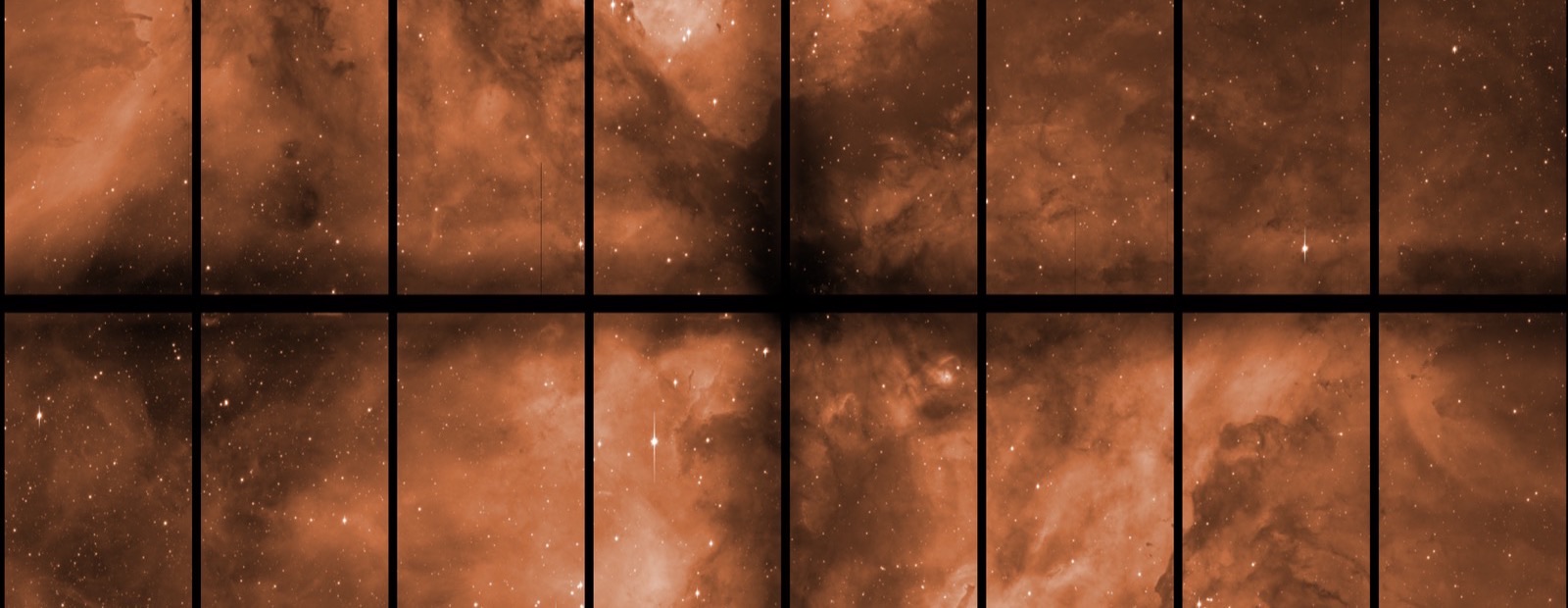
The instrument is OmegaCAM on the VLT Survey Telescope at Paranal: a mosaic of 32 separate 8-megapixel CCD detectors, 256 million pixels per frame in total, with a 1° × 1° field of view — twice as wide as the full Moon. The instrument alone produces around 30 TB a year.
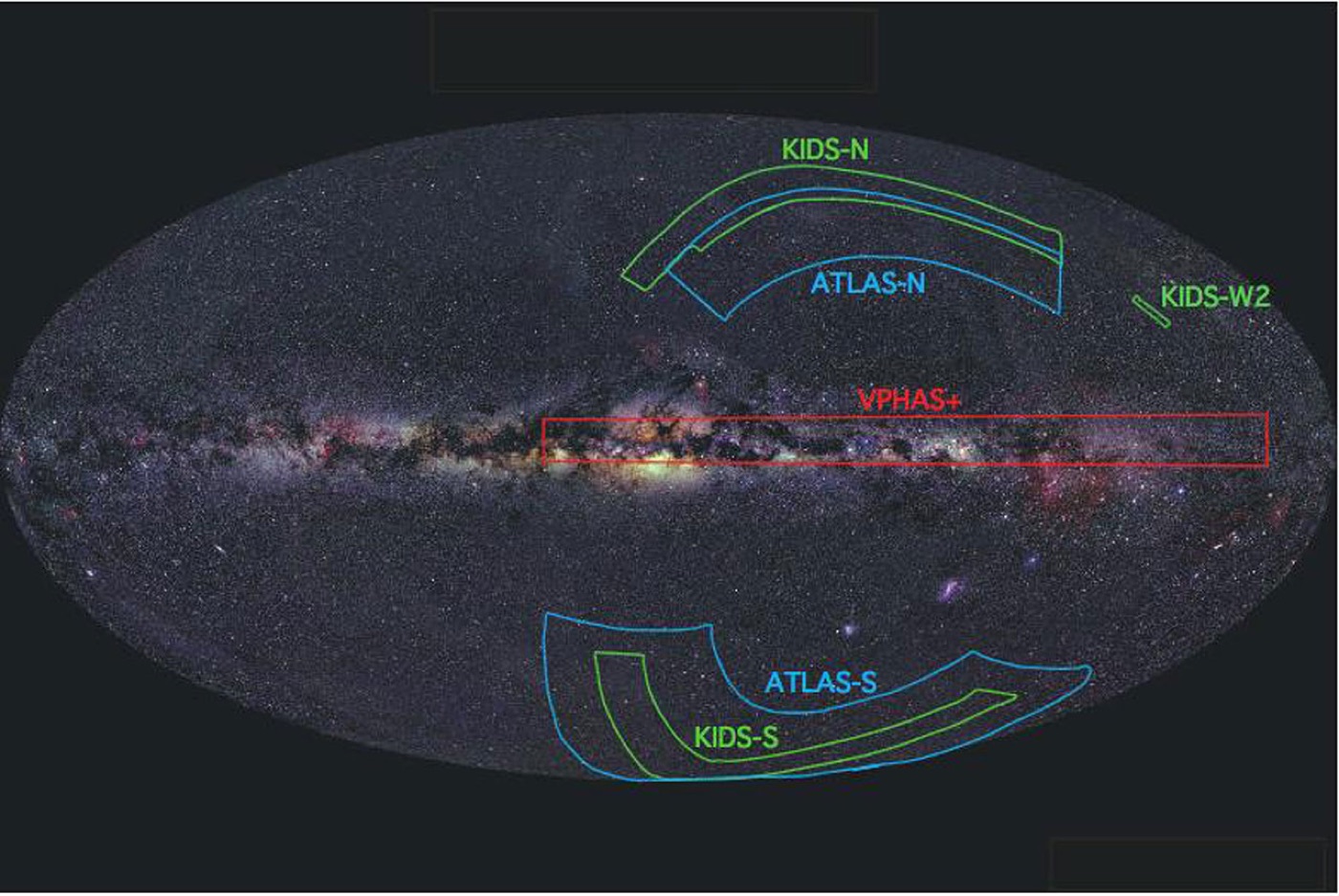
Coverage of the VST surveys against the whole sky. Each field is hundreds of tiles.
Three properties of this observational data matter for the infrastructure — and you will meet them in many domains outside astronomy:
- They are large and must not be compressed lossily. Compression would destroy the very information the measurement rests on. 256 megapixels in float32 is more than a gigabyte per filter.
- They are immutable. Once published, a tile never changes. That simplifies everything: consistency, caching, replication.
- Nobody reads them in full. A single galaxy occupies an area of a few hundred pixels on a tile. To look at it, you still need access to the whole file.
The third point matters most architecturally: the access pattern is random reads of small fragments from very large, immutable files.
The problem
Classification is a task that parallelises: tiles do not depend on each other, and neither do the individual objects being classified. So the sensible way to shorten a classification experiment is to run more workers at once. Scaling goes sideways — we add worker replicas rather than a bigger machine. At the same time, the data sometimes needs to be inspected from other processes — notebooks, for instance, for debugging or checking some aspect of the data.
Every one of those environments has to see the same file under the same path. Without that, code is hard to reuse and files are hard to identify: code that works in a notebook would not work in a classification pod, and the result stops being reproducible.
The three approaches that come to mind first all fall over under these requirements:
- Copying the data into the container image. Unrealistic at terabyte scale — the image would weigh as much as the dataset.
- Block storage. Capacity is reserved up front and paid for regardless of how full it is, and in practice a volume attaches to a single node. Pods spread across several nodes are ruled out by definition.
- A shared NFS. It solves the sharing problem between nodes, but underneath there is still a block storage volume: capacity fixed in advance, and growing it is an administrative operation rather than a number changed in a manifest. A dataset that may grow from 200 GB to 20 TB then forces you either to reserve headroom you are not using or to migrate mid-flight. On top of that comes a server to maintain, and a single point of failure.
The solution has three layers: object storage holds the bytes, a catalog in Postgres knows what is where, and a CSI driver hands it to the pods under one path. Below is the route of a single read — from the query for a path to a fragment of an image.
Layer 1: S3 object storage
Object storage beats block storage here for three reasons.
You pay for what is stored. No capacity reserved in advance. For a dataset that may grow from 200 GB to 20 TB, that is the difference between planning and guessing.
Many readers at once. A bucket serves hundreds of concurrent clients with no extra configuration. This is precisely the requirement block storage does not meet.
Replication as standard. I do not have to design redundancy for data whose re-download from the ESO archive would take weeks.
Then there is locality, and this is the thing most easily overlooked at design time. Virtual machines, Kubernetes and GPUs sit in the same CloudFerro infrastructure as the bucket — infrastructure optimised for large-data processing. The data never leaves the network: no ingress or egress charges, and the bandwidth is internal. For a pipeline that reads hundreds of gigabytes in a single run, transfer can cost as much as the computation itself.
One limitation is worth knowing from the start: the S3 key space is flat, and “directories” are a naming convention, not a structure. Listing is expensive once there are many objects, and putting more than a million objects in a single bucket is discouraged. That leads straight to the second layer.
Layer 2: The catalog
The pipeline never lists the bucket. It asks the database.
The observations table, one row per tile+filter pair:
| kids_tile | raj2000 | decj2000 | filter | date | file_path |
|---|---|---|---|---|---|
| KIDS_183.0_-0.5 | 183.0 | -0.5 | u | 2012-04-16 | /opt/cosmo_data/KiDS_DR4_images/KiDS_DR4.0_183.0_-0.5_u_sci.fits |
| KIDS_183.0_-0.5 | 183.0 | -0.5 | g | 2012-05-19 | /opt/cosmo_data/KiDS_DR4_images/KiDS_DR4.0_183.0_-0.5_g_sci.fits |
| KIDS_183.0_-0.5 | 183.0 | -0.5 | r | 2013-04-09 | /opt/cosmo_data/KiDS_DR4_images/KiDS_DR4.0_183.0_-0.5_r_sci.fits |
| KIDS_45.6_-29.2 | 45.57 | -29.181 | r | 2017-07-20 | /opt/cosmo_data/KiDS_DR4_images/KiDS_DR4.0_45.6_-29.2_r_sci.fits |
There is exactly one path and it is an ordinary filesystem path. The catalog does not know a bucket sits underneath — where the bytes come from is a matter for the mount layer, not for the database schema. That is what makes the same row valid in a pod, in a notebook and on a development machine.
This layer gives three things a filesystem will not.
Selection before I/O. The query returns exactly the files a run needs. The rest is never fetched.
-- Resolve exactly which files a run needs, before touching storage.
SELECT kids_tile, filter, file_path
FROM observations
WHERE filter = 'r'
  AND raj2000 BETWEEN 180.0 AND 186.0
  AND file_available IS TRUE
ORDER BY kids_tile;
Spatial filtering. Coordinates in columns mean that “give me the tiles covering this patch of sky” is a SQL query rather than filename parsing. The same pattern handles any geospatial data or time series.
Provenance of the result. Every detection points, via a row, at the source file and the moment of observation. Without that, a model’s output is impressive but irreproducible.
The table also holds per-frame quality parameters — in astronomy that means seeing and depth; in other domains it will be noise level, cloud cover or sensor calibration state. These are not decorations but the model’s boundary conditions. Filtering them out in SQL is cheaper than teaching a network to be robust against data it should not have been shown in the first place.
Layer 3: Access
What CSI, PV and PVC are
Kubernetes does not know what S3 is. It knows one thing: how to hand a directory to a container. Where the bytes visible in that directory come from is the driver’s business — and that is exactly what the three concepts recurring in every manifest below are for.
CSI (Container Storage Interface) is the standard interface between Kubernetes and storage systems: instead of building support for every provider into the core, a provider writes a driver and the cluster installs it. Kubernetes sends it instructions along the lines of “stage this resource on this node” and “mount it in this directory” — what the driver does next is up to it. Mountpoint starts a user-space process (FUSE) that turns ordinary reads from a directory into HTTP requests to S3.
A PersistentVolume (PV) is not storage — it is a description of storage, an object saying “this resource exists, this driver handles it, and here are its parameters”. The manifest below contains not one byte of data: it has a bucket name, an endpoint and mount options. A PV “is a bucket” in the same sense that a business card is a person. Hence the fields you must fill in even though they mean nothing — capacity: 200Gi is ignored by the driver and demanded by the API, because the API was designed for disks.
A PersistentVolumeClaim (PVC) sits on the other side: it is an order. The application states what it needs without knowing what lies underneath; Kubernetes finds a matching PV and binds the two together. A pod mounts the PVC and never reaches for the PV directly.
flowchart LR
    P1["Worker pod"] -->|mounts| C
    P2["Worker pod"] -->|mounts| C
    P3["Worker pod ×N"] -->|mounts| C
    C["PVC<br/>(namespace: lensing)"] -->|"1:1 binding"| V["PV<br/>(cluster-wide object)"]
    V -->|"driver + parameters"| D["CSI driver<br/>(Mountpoint)"]
    D -->|"FUSE, byte ranges"| S[("S3 bucket")]
The cardinalities are the easiest thing to trip over: a PVC binds to exactly one PV and claimRef pins that pair down, but any number of pods can mount the same PVC — accessModes: ReadWriteMany allows the volume to be held on many nodes at once, so adding workers changes nothing on the storage side.
Configuration
We mount the bucket with the Mountpoint for Amazon S3 CSI Driver — Apache-2.0, one of the AWS open source projects, and it works with any S3-compatible endpoint, not just AWS.
Installation and credentials:
# Install the driver from the official Helm repository.
helm repo add aws-mountpoint-s3-csi-driver \
  https://awslabs.github.io/mountpoint-s3-csi-driver
helm repo update

helm upgrade --install aws-mountpoint-s3-csi-driver \
  aws-mountpoint-s3-csi-driver/aws-mountpoint-s3-csi-driver \
  --namespace kube-system

# S3 credentials live in a Kubernetes Secret, never in the manifest.
kubectl create secret generic aws-secret \
  --namespace kube-system \
  --from-literal=key_id="${S3_ACCESS_KEY_ID}" \
  --from-literal=access_key="${S3_SECRET_ACCESS_KEY}"
The PV + PVC pair itself:
# The bucket is exposed as a read-only volume. The mount path is identical
# in every environment, so paths stored in the catalog stay valid everywhere.
apiVersion: v1
kind: PersistentVolume
metadata:
  name: kids-dr4-pv-lensing
spec:
  capacity:
    storage: 200Gi          # ignored by the driver, required by the API
  accessModes:
    - ReadWriteMany
  persistentVolumeReclaimPolicy: Retain
  claimRef:                 # pin this PV to one specific PVC
    namespace: lensing
    name: kids-dr4-pvc
  mountOptions:
    - --endpoint-url=https://s3.waw4-1.cloudferro.com
    - --region=WAW4-1
    - --read-only
    - --metadata-ttl=indefinite   # objects never change once published
  csi:
    driver: s3.csi.aws.com
    volumeHandle: kids-dr4-pv-lensing
    volumeAttributes:
      bucketName: kids-dr4-tiles
---
apiVersion: v1
kind: PersistentVolumeClaim
metadata:
  name: kids-dr4-pvc
  namespace: lensing
spec:
  accessModes:
    - ReadWriteMany
  storageClassName: ""      # required for static provisioning
  volumeName: kids-dr4-pv-lensing
  resources:
    requests:
      storage: 200Gi
Verifying that the volume actually works — before you launch the whole run:
kubectl apply -f kids-dr4-pv.yaml

# The PVC must report Bound. Pending means the PV did not match —
# kubectl describe pvc kids-dr4-pvc -n lensing explains why.
kubectl get pv,pvc -n lensing

# Read a real file through the mount, from inside a pod.
kubectl exec -n lensing deploy/worker -- python -c \
  "from astropy.io import fits; print(fits.getheader('/opt/cosmo_data/KiDS_DR4_images/KiDS_DR4.0_183.0_-0.5_r_sci.fits')['NAXIS1'])"
Why the mount is read-only
--read-only in mountOptions is a decision, not a limitation of the driver. Mountpoint does support some writes — a new object, written sequentially from start to finish — but it will not overwrite the middle of an existing file, will not rename, and will not create a real directory, because S3 has none of those. These are things a program assumes about a filesystem without checking, and the differences are documented and real.
A volume with half the write semantics is worse than one that does not pretend to accept writes at all — the error then surfaces somewhere random in the pipeline, usually an hour into the computation. With --read-only, a touch on the mount fails immediately with Read-only file system, still in the kernel, before anything reaches the bucket.
Hence the rule: the mount is for reading, writes go through the SDK.
# Writes never go through the FUSE mount — use the SDK directly.
import boto3

s3 = boto3.client("s3", endpoint_url="https://s3.waw4-1.cloudferro.com")

def publish(local_path: str, key: str) -> None:
    s3.upload_file(local_path, "results", key)
Local cache
Mountpoint can keep fetched fragments on a local disk, but whether that is worth it depends on the access pattern, not on the size of the data: with a single pass over the dataset there is nothing for the cache to hit. It pays off only with repeated passes over the same subset — a few training epochs, or iterative tuning.
If you do enable it, reckon with the default emptyDir: the data cache then lands on the node’s ephemeral disk, shared with everything else running there. A dozen or so pods streaming gigabyte files fill it within tens of minutes, at which point the kubelet marks the node with the DiskPressure condition and starts evicting pods — including ones that have been computing for an hour and have nothing to do with the cache. A size limit is the absolute minimum:
  volumeAttributes:
    bucketName: kids-dr4-tiles
    cache: emptyDir
    cacheEmptyDirSizeLimit: 20Gi   # without this the node's disk fills up
A minimum, but not a safeguard — the kubelet samples usage periodically, so the limit can be overshot between measurements. The proper fix is to move the cache off the node’s disk onto a separate volume (cache: ephemeral in the v2 driver), with --max-cache-size set below that volume’s capacity.
There is a third place for a cache that appears in no manifest at all: the application layer. If a tile is processed in four filters at once, the working set at any given moment is exactly four files — and that fits in the process’s memory. An lru_cache on the loader is enough:
from functools import lru_cache

import numpy as np
from astropy.io import fits


@lru_cache(maxsize=4)  # one tile = u, g, r, i — that is the whole working set
def load_band(path: str) -> np.ndarray:
    with fits.open(path, memmap=False) as hdul:
        return hdul[0].data
The cost then moves from disk to memory: four filters of roughly a gigabyte each is a few GB of RSS per pod, so requests.memory has to account for it. In exchange, nothing needs configuring on the cluster side.
The pipeline described here makes a single pass over 221 tiles, so the mount’s data cache is switched off. What stays from the manifest above is --metadata-ttl=indefinite — for file information only. With data that does not change, there is no reason to keep asking S3 about it.
Whether that is enough is settled by measurement. One pod, bucket and compute in the same region:
| Operation | Result |
|---|---|
open() on a file touched for the first time |
45 ms (median of 8 files) |
| the same file again | 17–20 ms |
| sequential read, single stream | ~150 MiB/s |
| eight streams in parallel | 1007 MiB/s — 22.7 GiB in 22.6 s |
| cost on the mounting process | ~3 cores, ~970 MiB RAM |
With no data cache on disk the read still runs at a gigabyte per second, because the bytes never leave the cloud region — the disabled cache is not a compromise here, but a consequence of storage sitting next to compute.
Outside Kubernetes
The same data layer serves environments that are not pods. Mountpoint is an ordinary program — the CSI driver merely wraps it — so a virtual machine or a laptop mounts the same bucket on its own, and the catalog answers the same queries.
# Same bucket, same mount root — catalog paths stay valid outside the cluster.
mount-s3 kids-dr4-tiles /opt/cosmo_data/KiDS_DR4_images \
  --endpoint-url https://s3.waw4-1.cloudferro.com \
  --read-only
There is one condition, and it is absolute: the mount point must be identical everywhere, because file_path from the catalog is an absolute path. Writing is a separate route, through the SDK, where the bucket and key are given explicitly.
When this scales and when it does not
The architecture described here produces an effect that fits in one sentence: 5.5 TiB visible to every pod under the same path, with no data copying, no capacity reserved up front and no file server to maintain. But how far does it reach? It scales horizontally — in the number of files, the number of reading processes and the terabytes filled. There are, however, three situations that no number of pods will fix, because they are not a problem of scale but of access pattern.
What grows linearly
The number of files, the number of concurrent reading processes and the volume of data can all grow without redesigning anything. Twice as many files means a run twice as long; twice as many pods, a run half as long. Up to the point where you hit one of two limits.
The first limit sits in the pod, not in object storage. A single pod reading over eight connections at once pulled 1007 MiB/s — 22.7 GiB in 22.6 seconds. Neither the bucket nor the network inside the region was under strain — the main cost fell on the mounting process, which at peak took about three cores and roughly a gigabyte of RAM. That is why this process speeds up effectively by adding replicas, not threads inside one pod.
The second limit is the number of objects in the bucket. Past a million, operations on the key space start to slow down.
What more pods will not fix
Three cases where this arrangement has to be swapped for a different one rather than tuned.
Repeated passes over the same dataset. Training for a dozen epochs would fetch the same bytes a dozen times. This is a layer for preparing data; to feed a GPU with it, you have to materialise the data closer to the computation first.
Millions of small objects. At 45 ms per open() and around 150 MiB/s of read throughput, the break-even point lands near 7 MiB. Below that size you are paying mostly for waiting, so a dataset made of millions of small files spends its time queueing for the network instead of computing — it has to be packed into larger objects first.
Several teams in one cluster. The credentials are shared across the whole driver, so permissions can only be differentiated by which PVC is mounted where.
Summary
- The pattern “large immutable files, random reads of fragments” belongs to object storage, not to block storage or NFS.
- Keep the index in a relational database. Listing the bucket at runtime does not scale and gives you neither selection nor provenance.
- Mount read-only under an identical path in every environment; route writes through the SDK, because an S3 mount is not a full filesystem.
- Enable the mount’s data cache only for repeated passes over the same subset — and never on the node’s disk without a size limit. If the working set is small and known in advance, an
lru_cachein the process is cheaper. - Keep compute and storage in one infrastructure. Transfer can cost as much as the processing.
This architecture covers the data preparation stage and access to data for inference, not the training loop. It ties you to one infrastructure, but in exchange it gives an efficient process and a reproducible result.
Sources and links
Data and instrument
- KiDS — Kilo-Degree Survey · Data Release 4 — survey complete, data public; ESO programmes 177.A-3016, 177.A-3017, 177.A-3018
- VLT Survey Telescope (VST) · OmegaCAM
- ESO — archive and public material
- SDSS — the survey against which KiDS reaches 2.5 magnitudes deeper
Infrastructure
Tools
- Mountpoint for Amazon S3 CSI Driver — Apache-2.0, works with any S3-compatible endpoint
- Mountpoint — filesystem semantics — what S3 cannot pretend to be
- AWS Open Source
- Container Storage Interface (CSI) · Persistent Volumes — Kubernetes documentation
- boto3 · Astropy
Images
- Header: Omega Centauri — VST/OmegaCAM, © ESO, CC BY 4.0
- Sky map: VST survey coverage, © ESO, CC BY 4.0